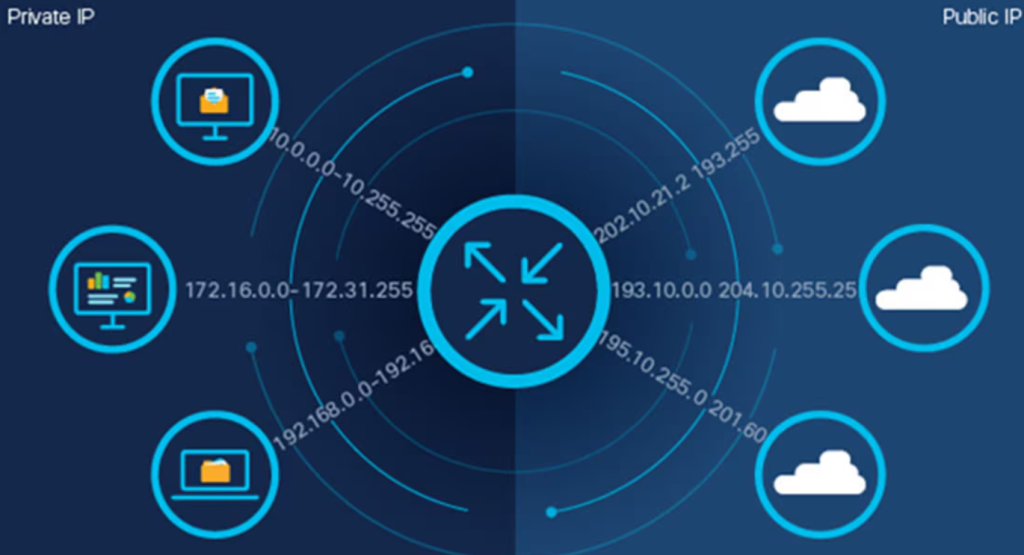
Network Address Translation (NAT) is a method that allows several devices on a private network to share a single public IP address when connecting to the internet.
It acts as a middleman between your home devices (such as phones, laptops, and smart TVs) and the internet. NAT hides your internal IP addresses and presents a single public IP address to the outside world, keeping your network secure and organized.
This process is essential for home entertainment and connectivity services because internet providers often assign a single public IP address per connection.
How Network Address Translation (NAT) Works
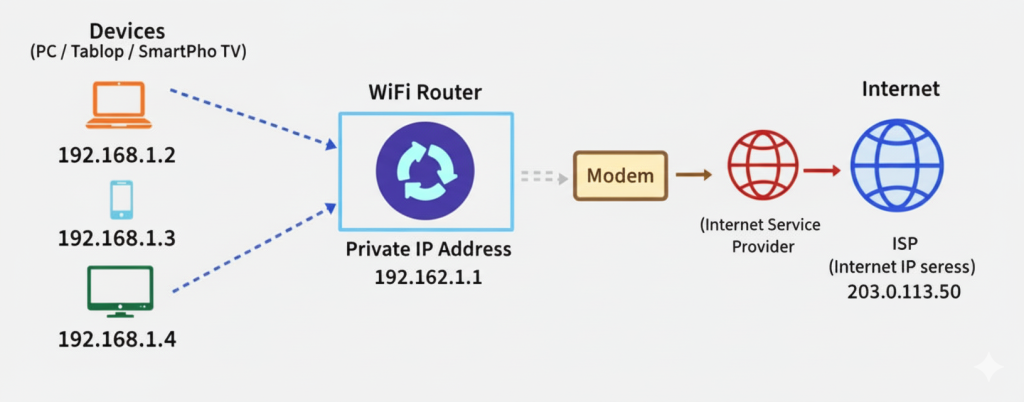
When a device in your home sends data to the internet, NAT (Network Address Translation) translates its private IP address into a public one. Once the data comes back, NAT reverses the process, translating the public address back into your device’s private address.
Here’s a quick example:
- Your laptop (private IP: 192.168.1.2) sends a request to visit a website.
- The router uses a network address translator (NAT) to map your private IP address to your public IP address (e.g., 203.0.113.1).
- The website responds to the public IP.
- The router then sends it back to your laptop — all within seconds!
Types of Network Address Translation (NAT)
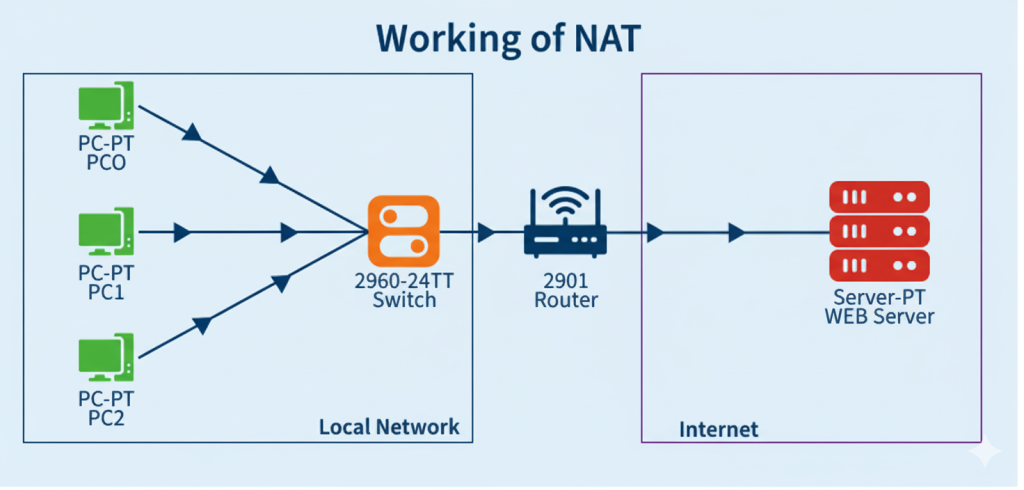
There are three main types of NAT, and each serves a different purpose:
1. Static NAT
Static NAT maps one private IP address to one public IP address. It’s often used for servers that need a fixed public address to stay reachable online.
2. Dynamic NAT
Dynamic NAT uses a pool of public IP addresses. When a device requests internet access, it gets an available public IP from the pool. Once it’s done, that IP can be reassigned to another device.
3. PAT (Port Address Translation)
PAT (Port Address Translation) allows multiple devices to share a single public IP address by using different port numbers.

Network Address Translator NAT: Why It Matters
The network address translator NAT plays a vital role in every connected household. Without it, we’d quickly run out of public IP addresses.
Moreover, it adds a layer of privacy, so external users can’t access your private network directly. This means your home devices are much safer from cyber threats.
In short, NAT keeps your network secure, organized, and efficient. And for those using services like Optimum or DIRECTV, it ensures multiple devices can stay connected without any trouble.
Pros of NAT
- Improves security
- Saves IP addresses
- Allows multiple devices to share one connection
- Easy to manage for home networks
- Protects internal network privacy
Cons of NAT
- Can cause connection issues in some apps or games
- Adds a slight delay
- Makes troubleshooting harder
- Not ideal for some older protocols
- Can affect peer-to-peer or VoIP services
Real-Life Examples of Network Address Translation
Here’s how network addressing translation works in your daily life:
- When your smart TV streams movies from DIRECTV, NAT translates your private IP to access the internet.
- When your laptop connects to Frontier for work or study, NAT ensures smooth communication.
- When your gaming console connects to the internet, NAT keeps it secure and connected.
Final Thoughts
To sum it up, Network Address Translation (NAT) is one of the unsung heroes of modern internet connectivity. It helps multiple devices share one IP address, adds security to your home network, and makes your online life easier.
At highspeedinternetpromotions, we’re here to make your internet experience simple, fast, and reliable, from choosing the best provider to understanding how your network works.
Contact us today to learn more about optimizing your home internet setup with DIRECTV, Optimum, or Frontier.
FAQS for NAT:
1. What is Network Address Translation and its Types?
Network Address Translation (NAT) allows multiple devices to share a single public IP address. Types include Static NAT (fixed mapping), Dynamic NAT (from a pool), and PAT (many devices share a single IP address via ports).
2. How Does Network Address Translation Work?
NAT changes private IP addresses to public IP addresses for internet access. It tracks connections so responses return to the correct device, keeping your network secure and allowing multiple devices to use the same public IP smoothly.
3. What is the Importance of Network Address Translation?
NAT conserves public IP addresses, adds security by hiding private IP addresses, and simplifies network management. It ensures multiple devices connect safely, efficiently, and cost-effectively to the internet without conflicts.